
Dyslexic.com

iView Learning
Single Subscription

Duration: full course

£239.99 ex VAT

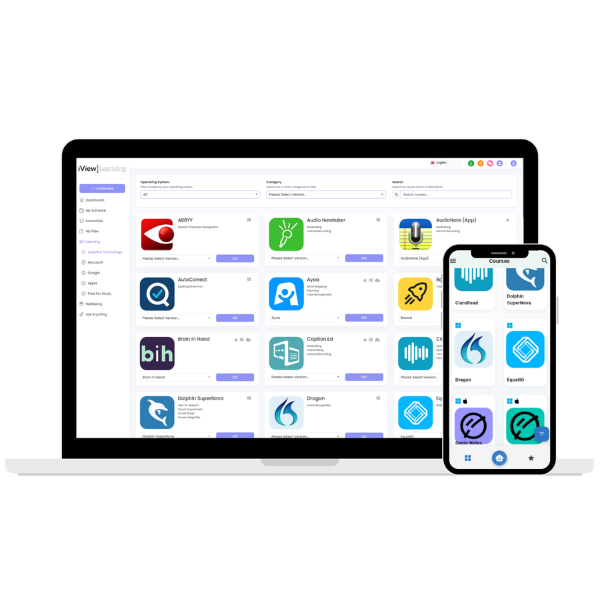
iView Learning covers a wide range of Assistive Technology, with new content being added all of the time. Covering all of the popular assistive software programs such as text-to-speech, voice recognition, mind mapping, note taking and more!

Details

Welcome To iView Learning

iView Learning covers a wide range of Assistive Technology, with new content being added all of the time. Covering all of the popular assistive software programs such as text-to-speech, voice recognition, mind mapping, notetaking and more!

As well as Assistive Technology, there is also an extensive library of content covering productivity software, such as the Microsoft Office suite, including Microsoft Word, Excel, Powerpoint, Publisher and OneNote, and more recently G-Suite, including Google Docs, Sheets, Slides and Forms.

Features

An ever expanding library of content

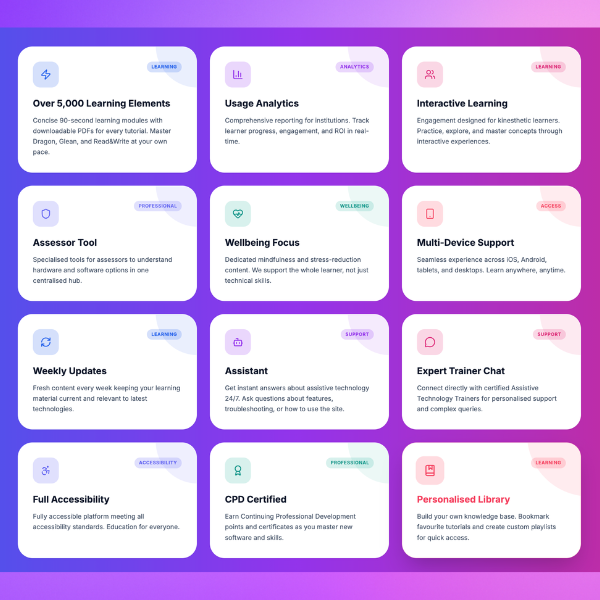
With over 800 videos and counting, we are constantly adding more videos and courses to iView Learning, with all of the latest software programmes and versions.

Concise, simple, short and snappy tutorials

Each of our videos are concise and to the point, with the vast majority of them being 90 seconds or less, so you can get the information you need straight away.

High quality tutorials and professional audio

Every video contains High-Quality visuals, with professional audio recordings used throughout to offer clear and effective audio and visual communications.

PDF guides for every instructional tutorial

As well as the videos, there is also a PDF guide attached to each video. They detail the key points of the video, the perfect miniature reference guide.

Available across a multitude of devices

Cross-platform compatibility means you can access iView Learning from any device, complete with a dedicated App for IOS and Android devices.

Mark your favourite modules and tutorials

Bookmark courses for the Assistive Software you use, or relevant individual videos for quick reference and access, ideal for your favourites.

Interactive tutorials for kinesthetic learners

Using our interactive tutorials caters for kinesthetic learners being able to practice the tutorials  rather than just watching.

Live chat with our in house trainers for support

Talk in real-time with one of our in-house AT Trainers, get answers to your questions immediately.

Frequently Asked Questions

What is Assistive Technology (AT) training?

Assistive Technology training teaches individuals how to use tools and software that support reading, writing, organisation, and communication. The focus is on practical skills that help people with dyslexia work more effectively and independently.

AT training is suitable for anyone with dyslexia or related differences, including students, professionals, and job seekers. It can also benefit employers and educators who want to better support others.

Sessions are tailored to the individual and typically include learning how to use specific tools, adjusting settings to suit personal preferences, and applying these skills to real tasks such as reading documents, writing emails, or managing workload.

Not necessarily. Training can be delivered using software you already have, built-in accessibility features on your device, or recommended tools based on your needs.

Yes. Effective AT training is always tailored to the individual’s goals, experience level, and day-to-day challenges, ensuring the support is relevant and practical.

This varies depending on individual needs. Some people benefit from a small number of focused sessions, while others prefer ongoing support to build confidence over time.

Yes. Training can be delivered remotely via video call or in person, depending on what works best for the individual or organisation.

Follow-up support is often available to help reinforce learning, answer questions, and ensure the technology continues to be used effectively.

AT training can improve confidence, increase productivity, reduce frustration, and help individuals work more independently by making the most of the technology available to them.

Simply get in touch to discuss your needs, and we can recommend the most suitable training approach for you or your organisation.

Get in touch

Whether you need additional help or would like to discuss a solution just for you.


    Get in touch

    Whether you need additional help or would like to discuss a solution just for you.

    Shopping Basket
    Scroll to Top